Tag Archives: Usability

From Idea to Spaghetti: The UX Gap Killing Home 3D Printing

Here we are, a month on from Christmas, and a new 3D printer hums away in our home office. Our 11-year-old wants to print a simple fidget toy to show his mates on the school bus. Small object, quick reward, low stakes. The marketing.and the social shorts imply this is exactly what the printer’s for.

The reality is different. The printer works, of course it does, and the model exists. But the user has hit a wall.

That wall is the missing middle between “I want this object” and “here’s how to manufacture it.”

Consumer 3D printing hardware has improved fast: cheaper, sturdier, more reliable. Model libraries are abundant. The breakdown happens in the software, specifically the slicer. This is the gateway to printing, and it’s built like an expert tool.

The mismatch is structural. A beginner wants a reliable outcome; the slicer demands process control. More specifically:

  1. Language doesn’t map to intent
    Slicers expose machine concepts and internal mechanics. They describe parameters you can change: retraction distance, Z-offset, support interface, seam position. These settings are real, and they matter. But they’re barely framed around what the user is trying to achieve.

Beginners don’t think, “I need to adjust my retraction.” They think, “Dad, why’s it suddenly all stringy?” They don’t think, “support roof.” They think, “Dad, how do I get this off without snapping it?”

When labels map to the machine rather than the outcome, users can’t predict consequences. They can only guess, or disappear down Google rabbit holes.

  1. Choice isn’t prioritised
    Most slicers present “available” and “appropriate” as equals. The result is a dense panel of options with weak hierarchy and next to zero guidance on what matters first.

It may be designed with the intention of empowerment and precision. In practice it lands as cognitive burden. For a novice, the implicit message is: if this print fails, it’s because you couldn’t figure out to configure it correctly.

  1. Feedback arrives too late
    3D printing has a slow loop. Prints take hours and failures often show up late, or worse, out of sight. The cost of learning is time, material, and patience. When you’re 11, with limited downtime in the week and busy weekends, the threshold for giving up is pitifully low.

When things go wrong, the slicer rarely helps you diagnose or recover. And when the workflow itself is fragmented, ie. slice on one device, move a memory card, print on another, the feedback loop gets even weaker. People end up in forums, LLMs, and YouTube. There they meet the expertise gap: explanations (from well meaning nerds) built on mental models they don’t yet have.

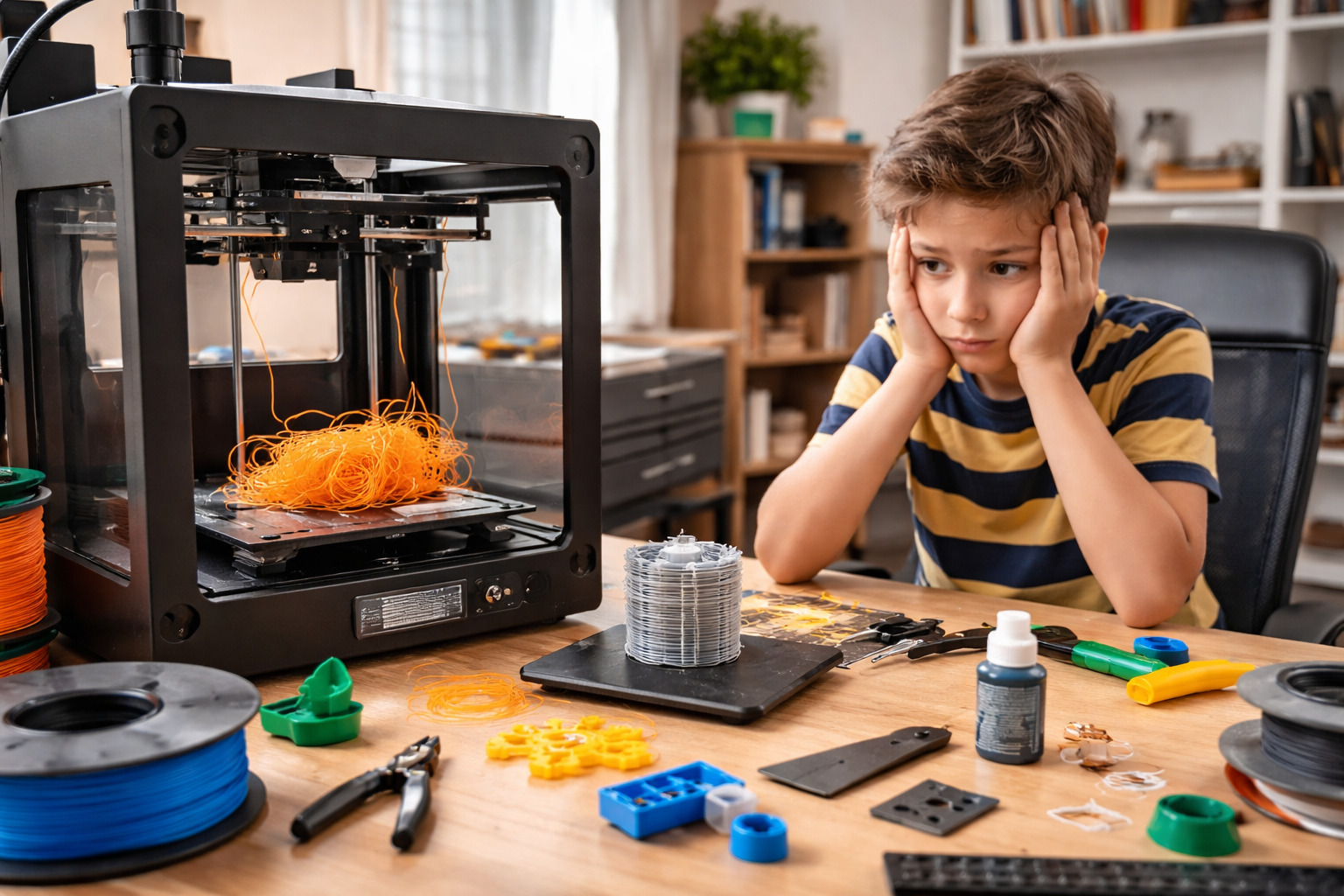
A home office with a desktop 3D printer mid-print, tangled filament on the build plate, and a child sitting nearby watching the failed print in silence.

The net result is the domestic print system collapsing like a soufflé. The child loses interest because the reward is delayed and fragile. The parent becomes a reluctant technician, spending evenings debugging through YouTube and ChatGPT rather than, y’know, making. Eventually the printer becomes background noise, a source of family tension and, ultimately, a dust collector.

None of this requires better hardware. It requires different system behaviour.

A simpler learning curve would start with intent, not settings:

Does this need to be strong, or just look good?
Is speed important, or a reliable outcome?
Are you OK with supports, or should we minimise them?

Translate those answers into parameters quietly, and surface the trade-offs in plain language:

Cleaner finish = harder support removal.
Faster print = higher failure risk.
Stronger part = longer print time.

Then, add risk detection and guided recovery through intelligent prompting:

“First layer contact looks low for this material; this often fails. Increase it?”
“Stringing likely from this preview; reduce temperature or increase retraction?”

If a print fails, treat it as evidence, not user incompetence:

“It didn’t stick” – ie. adhesion failure – propose bed/temp/first-layer changes.
“The layers are in the wrong place” – ie. layer shift – propose speed/acceleration/belt checks.
“The supports damaged the print” – propose support style/density/contact changes.

That’s the missing middle: decision support, progressive disclosure, supervised recovery. As ever, the software work is not adding more controls to the slicer UI. It’s helping novices get to a successful print without turning a weekend hobby into an apprenticeship.

At this point someone will say, “Plenty of crafts are hard.” True. But many have immediate feedback, you see the mess you make with a brushstroke straight away. Others take longer, ceramics, for example, but typically a coach is alongside you, and you start small.

With 3D printing, the existence of model libraries and exciting videos creates a false sense of readiness. You’re effectively handed the Mona Lisa in week two and told to have at it. Or you’re asked to kick a 40-yard conversion in a stiff breeze, with no useful feedback as to why it fell short or why she’s got a wonky eye.

Until slicers take responsibility for the learning curve they impose, home 3D printing will keep making the same breezy social media promise that “anyone can make!” and delivering the same experience: anyone can… eventually.

AI: I used AI for the tags, the excerpt, image generation, and a light sub-edit. The ideas, references, observations, and anecdotes are mine.

Tagged , , , , , , , , , , , , , , ,

Experience design is rocket science

Back in January I posted an assertion that customer service isn’t hard to do. Sometimes I leave people wondering why I get paid a nice salary to pontificate on this stuff as it’s all pretty easy and largely the articulation of common sense. It’s the same argument I used to hear when telling people about the ‘obvious’ results of academic psychology studies. It’s easy to start believing this stuff and even though certain designs and designers are lauded for their pursuit of the obvious, others are called out as snake oil salesmen. Krug‘s done a nice line in books that make it plain how simple this all is.

This week, however I read two important posts. The first being from Harry Brignull, Senior UX at Brighton’s Clearleft. In his posts (slides and notes) he explores the mistakes he and the team made on the way to delivering the successful app experience for The Week. It rang true to read of his frustrations as blindingly obvious interface and navigation elements were wilfully ignored by apparently stupid users. How I nodded along recalling my recent experience with Treejack when my simple and straightforward site architecture for a major British institution was exposed as confusing and muddling one to users in a 500-person remote test. The second post, far more important and sobering, was the analysis of the last moments of Air France flight  447 (Popular Mechanics and Telegraph articles). With the recover of the various voice & data recorders a clearer picture of what happened on the flight deck emerged but, crucially, why the pilots behaved the way they did in the face of apparently obvious warnings and information has proved both incredibly complex and rather contentious.

This is where cognitive psychologists, engineers and really incredibly talented people are earning their crust. Analysing, exploring, experimenting and evaluating the hugely complex elements at work when we interact with systems. Our irrationality and unpredictability are being explored in light hearted ways as we persuasionists are asked to design new campaigns and digital experiences but when these forces work against us in catastrophic ways it causes us to pause and remember our colleagues and peers’ role in solving these riddles.

I might not be designing an error-proofed flight deck any time soon but I think it’s about time I stopped underselling our value quite so much. The work we do is complicated and rewarding, whether it’s saving lives, producing a digital magazine or shifting some more products. One of the final persuaders for me to transition from psychology to HCI was James Reason’s book Human Error and my course under Dr. Phillip Quinlan at York where we explored a variety of complex scenarios leading to catastrophic human error. Understanding the part designers had to play in helping us protect us from ourselves was a strong motivator. The book still sits on my shelf and I would heartily recommend it to anyone in this business.

Tagged , , , , , , ,

The Waitrose Redesign: Perspective Required

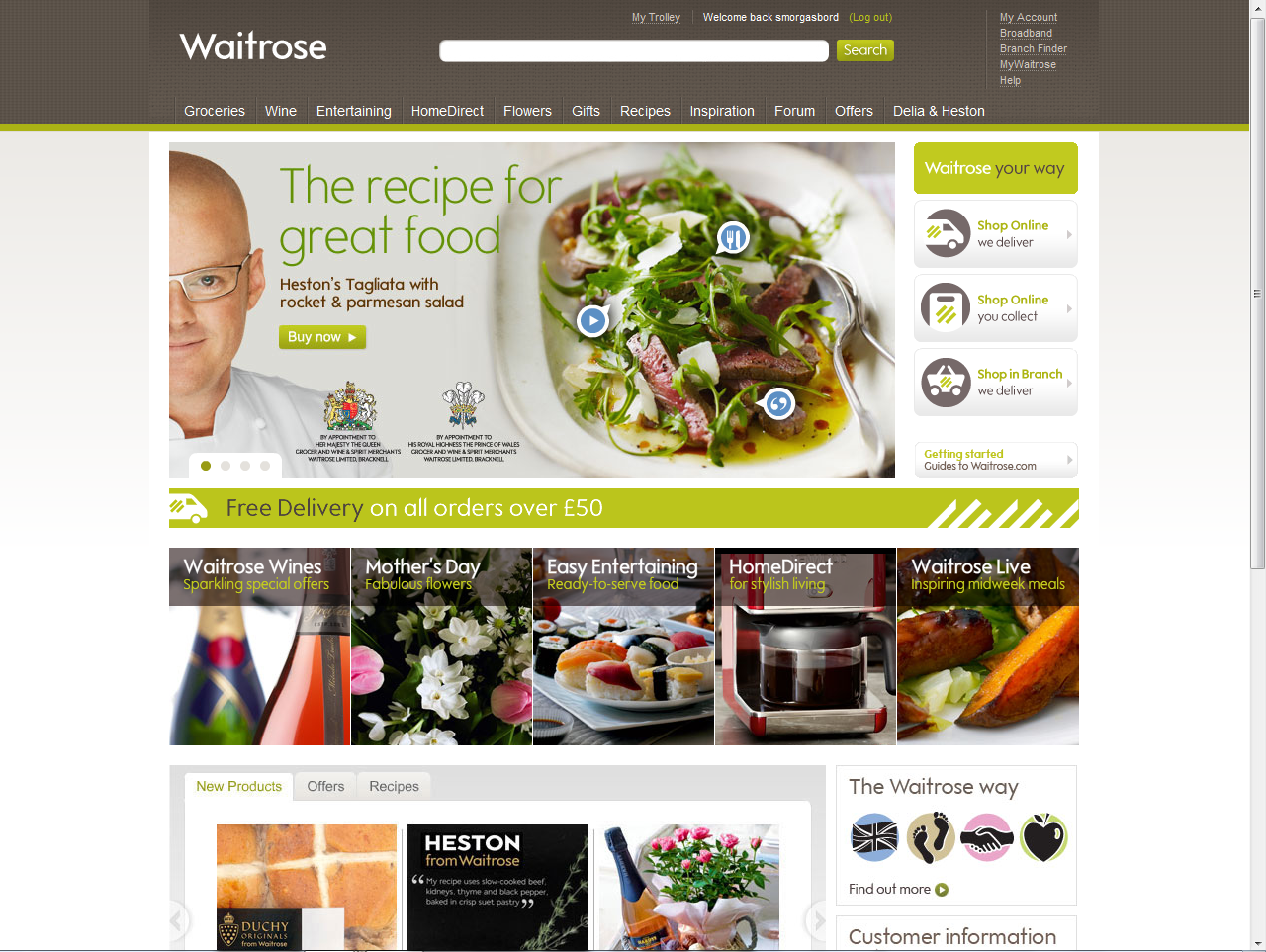
This week eConsultancy’s report on the apparent usability calamity of the new Waitrose site has been widely shared: “New Waitrose website panned by users“. People queued up to take pot shots at this aspirational brand, criticising a range of issues from taxonomy, speed and the apparent non-disclosure of prices.

Several cried-out “why wasn’t this tested?” “didn’t listen to users” and so-on and so forth. Compounding the issue was the revelation that the design ‘cost £10 million’.

An unmitigated disaster eh? Well no, not in my opinion. Firstly I think that the £10m issue is swaying a lot of bad publicity. The general public, and this is not to patronise, simply do not understand the price of design (c.f. Olympics 2012 logo). I don’t understand the price of building a new bridge, or anti-retroviral drugs and I don’t presume to tell the people in those industries that the cost of such things is too much. For some reason, the great British public assume that design work is just a 17 year old with photoshop tinkering about. It completely misses the point that work like this involves high levels of expertise in visual design, logistics, accountancy, information systems, security, project management and so-on. It’s massive, it’s expensive stuff. You might re-design a local dentist’s website for £1000 but really this isn’t even vaguely comparable.

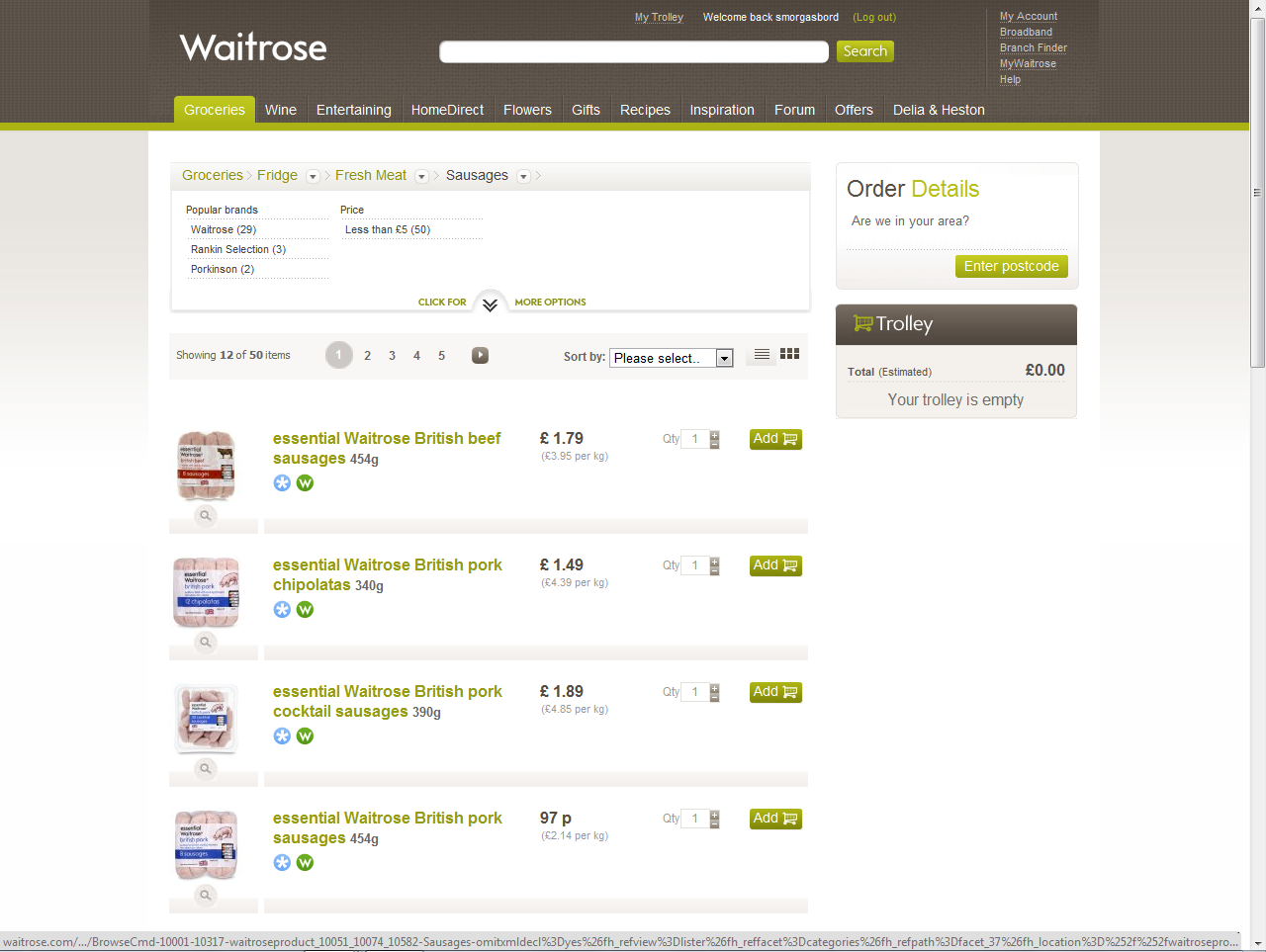
Secondly, it does actually work. To claim it’s “not fit for purpose … beyond fixing” is bonkers. Show me the evidence that no-one is shopping on the site, that the usage is down that average basket sizes are down etc. etc. I suspect you would find the opposite [EDIT 25.March: Orders are in-fact up by 34% on the previous site, according to The Guardian]. Yes, there are problems. Some of the nomenclature and taxonomy is a little unconventional. Sally pointed out that browsing freezer products was done by brand and not by type, that seems peculiarly specific. Most users would at least like a choice to filter by meal, by category (fish, poultry, ready-meal, dessert) and so on. Other glaring errors include the (now fixed) inability to identify sizes or quantities of items like milk and meat.

And then there’s the speed. The speed it’s rendering is not great. I’m no developer so can only speculate that it could be either an interface layer issue or one related to pulling items out of the eCommerce catalogue (the back-end). To the consumer this distinction is irrelevant, it just takes time and time-precious consumers get understandably narky. Fixing the speed is critical to the perception of performance.

It infuriates me to suggest that this wasn’t thought about or tested. In our industry with so much money at stake it is inconceivable to think it wasn’t tested in some way at several points throughout the process. It was designed in part by some very talented user-centred people and the fact that certain elements have been included (drop-down category breadcrumbs) suggest a user-experience designer’s hand. The key is whether the user-testing was sufficiently rigorous, sufficiently real-world and sufficiently analysed to feed back into the design process.

Interactions which are causing the most concern include long-lists – the heavy duty users at home doing > £100 shops with many items. In these scenarios they are likely to be juggling multiple threads of activity: searching for goods, ticking them off a paper list, popping to and from the kitchen, considering recipes and so on. Keeping as much of the action (‘add to basket’) transparent at the same time as the browse activity is a tricky ask. Often user-testing is done in a lab with a user isolated from the context in which they normally perform their activity. It’s not a real shop, it’s a simulated list and the observations you will make will subsequently be quite false.

Work like this is so dependant on context that it needs to be stress-tested in real-world situations. It means sample shoppers using a staging-version of the site or a high-fidelity prototype to do their normal shopping routine. It might have happened here, I speculate that it probably didn’t.

I rememeber Catriona Campbell of Foviance telling me once of some ethnography work done for Tesco where they observed online shoppers ordering in bulk from their value range. Actually observing the users in their homes showed that these were consolidated orders for their community where one person acted as a distributor from a single paid-for delivery. Insight like this rarely comes from a two-way mirror, eyetracking and a moderator.

Returning to the Waitrose site, i’d urge you not to get caught in the hype but to actually use the site. The majority of  problems cited on the forum seem to be resolvable coding/performance issues, not fundamental interface design issues. By which I mean buttons not working as intended, technical errors and so-on.  The remaining issues surround a nostalgia for old site features like the jotter. I’ve seen this sort of thing before when a quirky feature barely anyone used gets removed the one or two people who did use it take to the web to complain.

I’m not saying it’s brilliant, it clearly needs work but I just personally feel the need to call for some calm and reflection in light of the fact that passionately user-centred people would have been involved in this and working with the very best of intentions albeit perhaps without the backup to see it through to final development or the support of adequate contextual user-tests.

Tagged , , , , ,